Introducing MacCrab Rave: the macOS forensic app store
10 October 2026: This is the July launch account; its screenshots show historical versions. The current status page lists 19 first-party plugins. Automated community intake is paused, and broader host testing and complete publishing qualification remain unfinished. The notes below distinguish those limits from the original design.
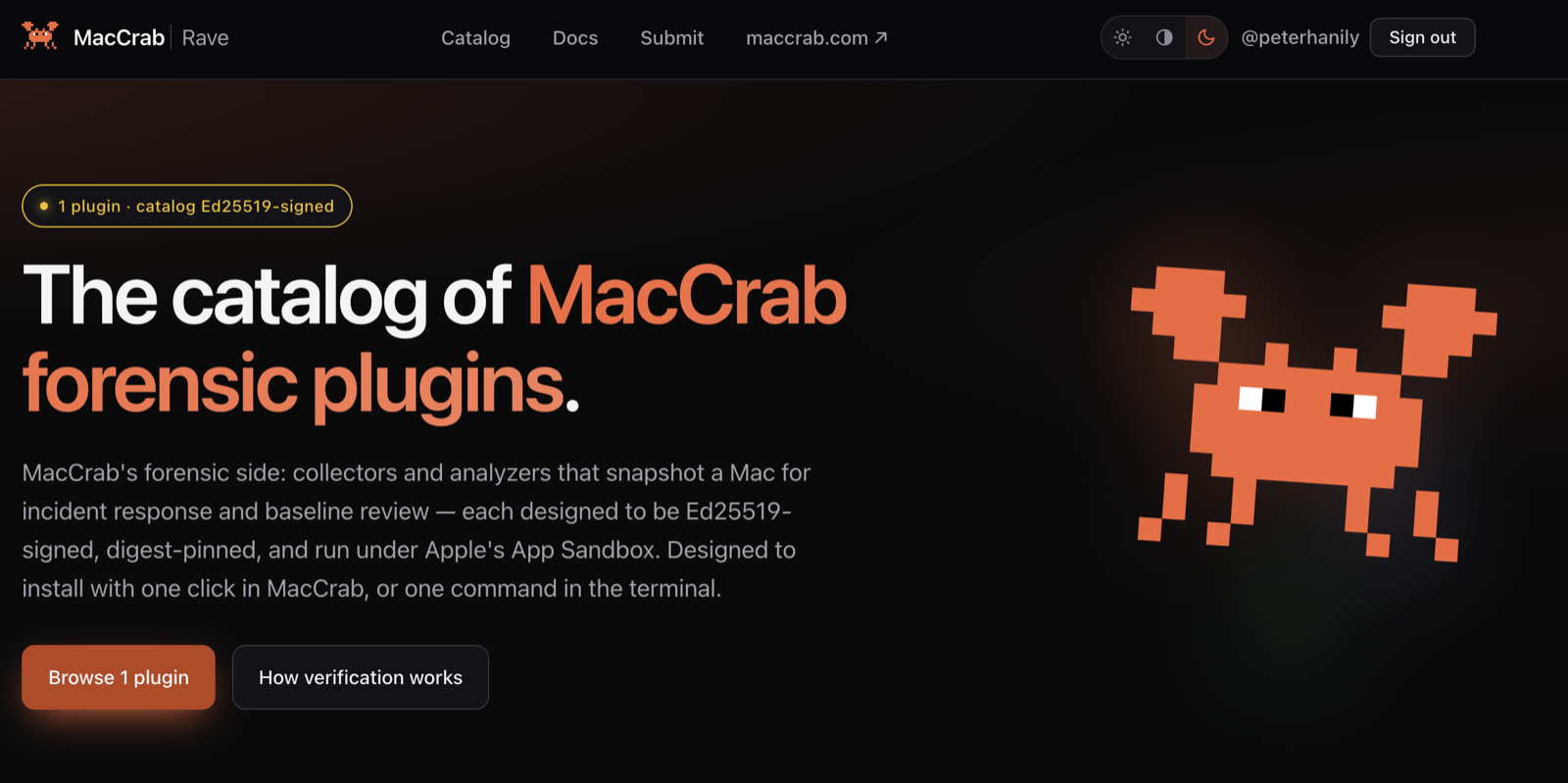
MacCrab has a plugin store.
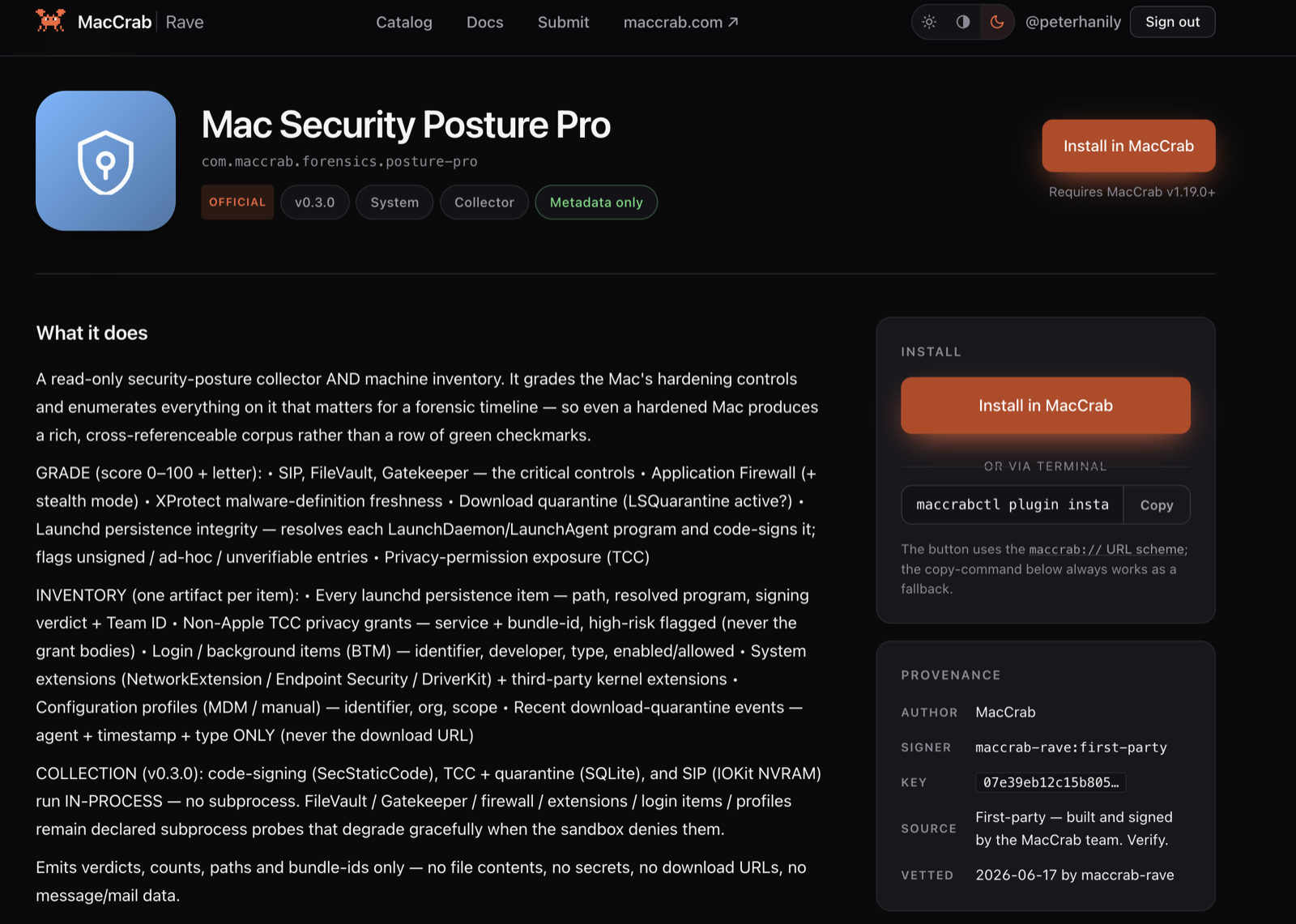
It's called Rave, it lives at rave.maccrab.com, and it serves a signed catalogue of forensic plugins for MacCrab, the local-first Mac security tool I wrote about building in April. The first plugin is Mac Security Posture Pro, which gives you a graded hardening report and an evidence inventory of the machine in one run.
The name is inspired by Noisestorm - Crab Rave.
Where the idea came from
The inspiration isn't a security product. It's desktop apps like Bambu Studio, where the store lives inside the app: you browse, you click Install, and the thing just works, with no browser, no downloads folder, no dragging files about. I wanted installing a forensic collector to feel like that.
Other great security tools have similar third-party plugin capabilities, e.g. Burp. Rave is an attempt to have both: one-click installs in front, and a supply chain anyone can audit.
What plugins give MacCrab
Since April, MacCrab has grown a forensics side: collectors that snapshot parts of a Mac into structured evidence records for incident response. Plugins are how that side grows from here, and they change what MacCrab is in the process.
The first reason is speed. macOS artifacts move constantly: Biome has taken over much of what knowledgeC used to hold, the TCC schema shifts, new persistence locations appear with each release, and EDRs, MDMs and internal agents leave their own local state behind. A collector compiled into MacCrab ships when MacCrab ships. A plugin can ship the week the artifact changes.
The second is breadth. I'll never write every collector people need. Some will be EDR-specific, some MDM-specific, some for the odd internal agent an organisation deployed in 2019 and forgot about. The people who need those collectors are usually the people best placed to write them.
The third is flexibility. With collectors installable per case, MacCrab doubles as a forensic collector in its own right: put it on a machine, install the collectors the investigation needs, run them, and leave with structured evidence. The monitoring side doesn't have to be the point. The app becomes a platform you equip for the job in front of you.
And underneath all three, the trusted core stays small. Every collector compiled into the app is more code a user has to trust. Plugins let capability grow without the trusted core growing with it, but only if something carries the trust boundary properly. That something is Rave.
The first plugin: Mac Security Posture Pro
Run it and you get two views of the machine. The first is a graded hardening report: a practical read on the Mac's security posture. The second is an evidence inventory: one row per relevant local artifact, covering login items, extensions, persistence entries, configuration profiles, quarantine events, TCC grants and related security state. On my Mac, a normal run produced 409 evidence rows across seven content types.
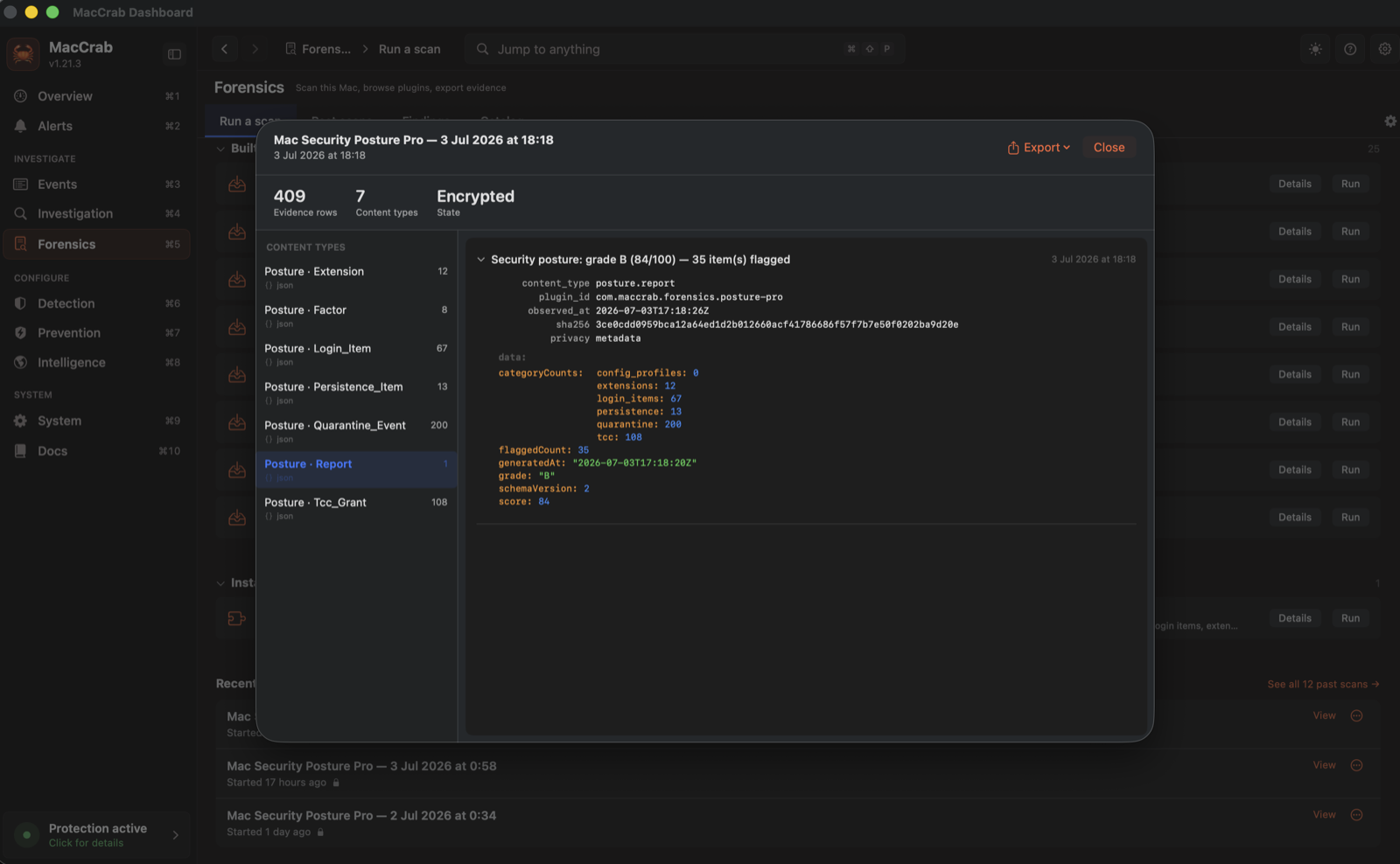
The current Posture Pro 0.3.1 can still return a grade when collection is incomplete, and unavailable sources can appear empty. Treat the grade as a limited assessment; coverage and collection reliability remain open work. Evidence is what makes the result explainable. If the plugin says something is risky, you can see the artifact behind the claim. If it finds persistence, you get the path. If it sees a TCC grant, you know which service, which client, and where the record came from.
This is a further iteration of the existing posture grading system available in the overview but with a forensic level of detail.
Why a plugin store needs a trust model
Forensic plugins are exactly the software you should be suspicious of installing. Their job is to read the parts of a Mac attackers care about most: persistence locations, privacy databases, login items, browser state, configuration, security controls. A malicious collector doesn't need to escalate anything; it's already pointed at the interesting places. And it runs in the worst possible context: mid-investigation, on a machine that may already be compromised, operated by the person with the most reason to trust their own tooling. Going after responder tooling isn't a hypothetical, it's an established pattern.
So "download this binary from a README and hope" was never going to be the distribution model. Signing keys live offline and never touch CI; releases are signed in a manual ceremony, which is slower than automation, and that's the point. Each catalogue file carries a detached Ed25519 signature you can check against a published public key with a few lines of Python. Each plugin version pins the digest of its artifact, manifest, signature and built bundle. Each publisher's key is pinned to their entry, so the same key has to sign every version. Revocation is signed.
Each plugin declares its access and collection scope. The catalogue records its privacy class and whether an encrypted scan is required. Posture Pro declares read-only, network-denied operation and metadata-only output: verdicts, counts, paths and structured evidence, never file contents. That is specific to Posture Pro. Other plugins can collect content, and the current catalogue requires encrypted scans for those plugins. Review each plugin's declared access before installing or running it.
The intended vetting process checks declarations and records build evidence per version. A recorded maintainer build check is not independent public-source verification, and metadata declarations do not enforce runtime restrictions. A first-party plugin such as Posture Pro runs unsandboxed, with the same access as the MacCrab app or command that launches it, which can include Full Disk Access. Only community plugins run inside a deny-default sandbox.
There's no account required, no server-side trust decision, no telemetry and no backend the app depends on. Static signed files, all the way down.
Building all of that for a catalogue this young might look like overkill. I think it's the only sensible time to build it. npm, PyPI, the browser extension stores and the editor marketplaces all had to bolt on signing, provenance, two-factor requirements and abuse response after their ecosystems were already worth attacking, and every one of those retrofits was slow and painful. Right now Rave's trust model is cheap to build, cheap to break and cheap to fix. That window doesn't last. The store is the delivery mechanism; the trust model is the product.
Built for disconnected places
A lot of forensic work happens where the internet isn't. The machine you're examining has been deliberately unplugged. The IR VLAN has no egress on purpose. The lab was air-gapped before you arrived. A plugin store that assumes a live connection to a vendor domain is useless in exactly the situations forensic tooling exists for.
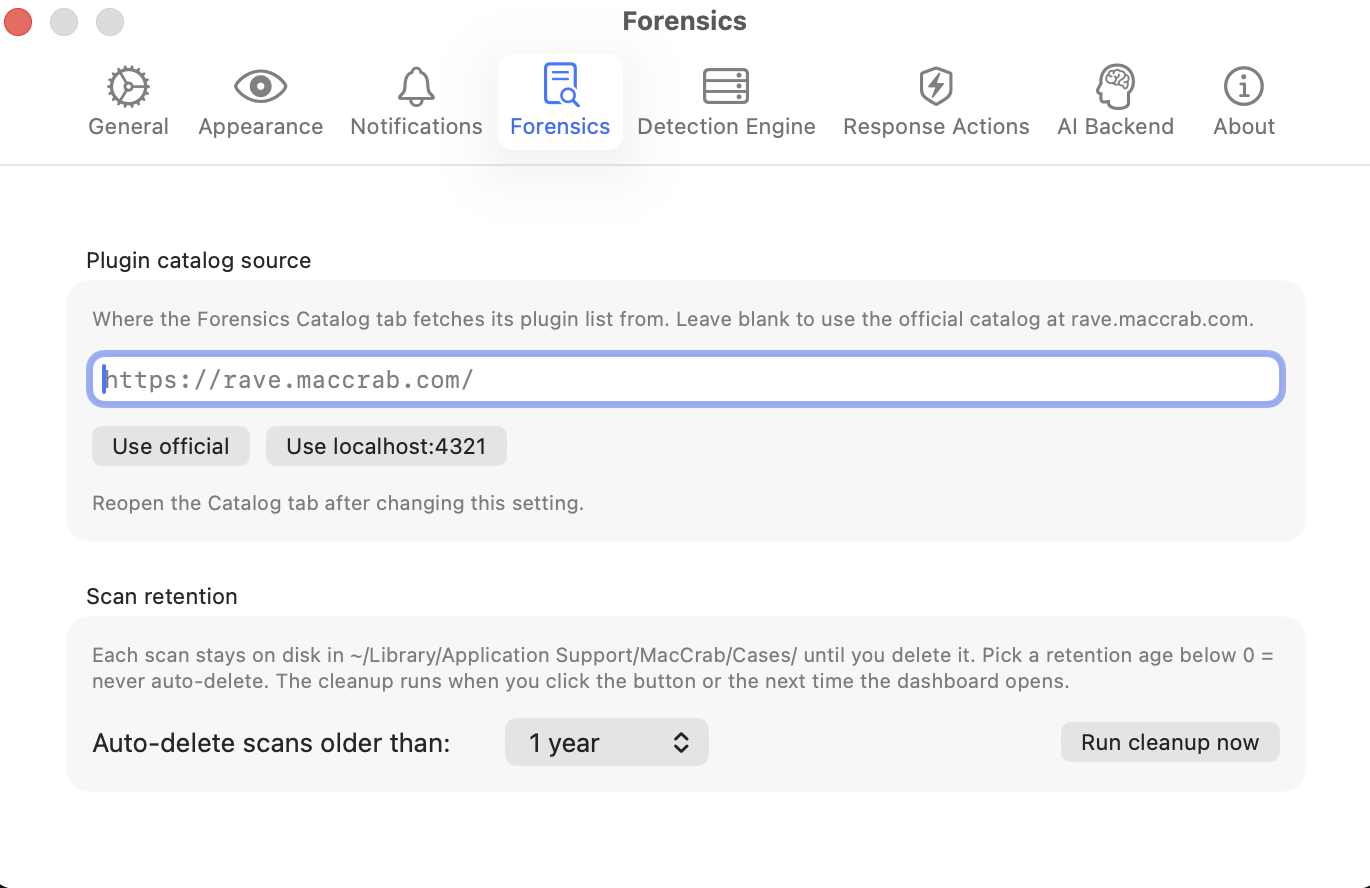
Rave assumes nothing of the sort. Because the catalogue and its artifacts are static signed files, you can mirror the whole tree onto a host inside your boundary, or onto localhost, and point MacCrab at it: the catalogue source in the app's settings is a plain URL field. Verification is identical either way, because the app checks the signatures and the pinned digests, not the domain they came from. rave.maccrab.com is the default, not a dependency. This describes the mirror design; enterprise-mirror qualification remains outstanding.
What you can verify today
An invitation to verify should say what verification currently covers. Today, anyone can check the live catalogue signatures against the published public key, check the digests against the live artifact, and run the verification recipe against a current published archive without executing it. A passing signature check establishes integrity relative to a trusted key. It does not establish safe behavior, complete collection or runtime containment.
Public independent rebuilding is not available through the current
first-party catalogue entries. Posture Pro 0.3.1 supplies no public source
repository and records reproducibility as not_applicable.
Its recorded build-check label does not override that limitation.
The verification documentation
separates signatures and digests from the source, toolchain and rebuild
evidence needed for independent reproducibility.
In the app
Use the latest MacCrab release. Most current catalogue plugins require v1.22.3 or later; Posture Pro declares a v1.19.0 minimum. Each catalogue entry lists its required app version.
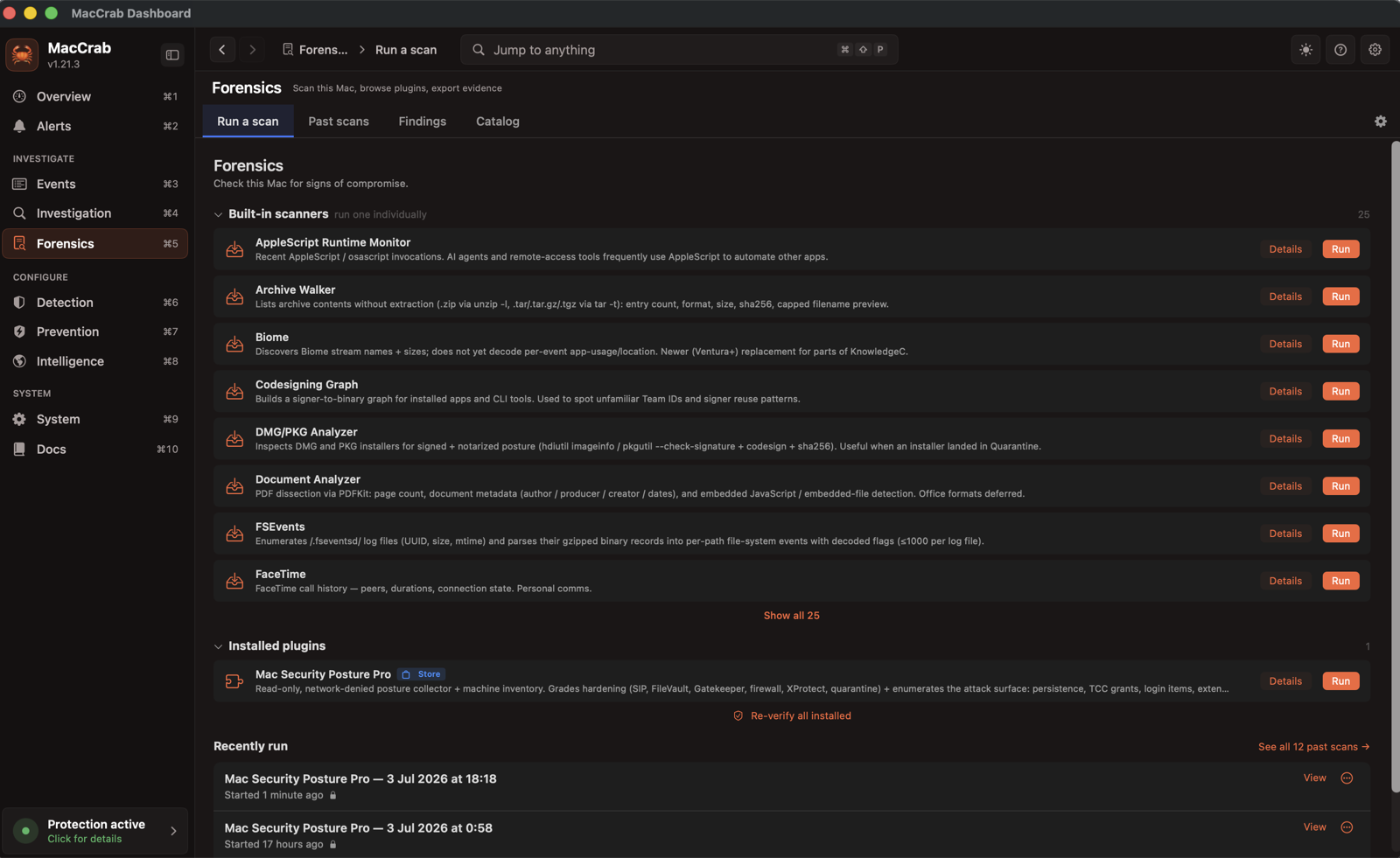
This is where the Bambu Studio part pays off. The Forensics catalogue tab shows the feed as signed and verified, checks revocation freshness, shows the publisher key as pinned, knows installed from update-available, and runs the plugin from a button. Installing takes one click, or a terminal command if you prefer:
maccrabctl plugin install com.maccrab.forensics.posture-pro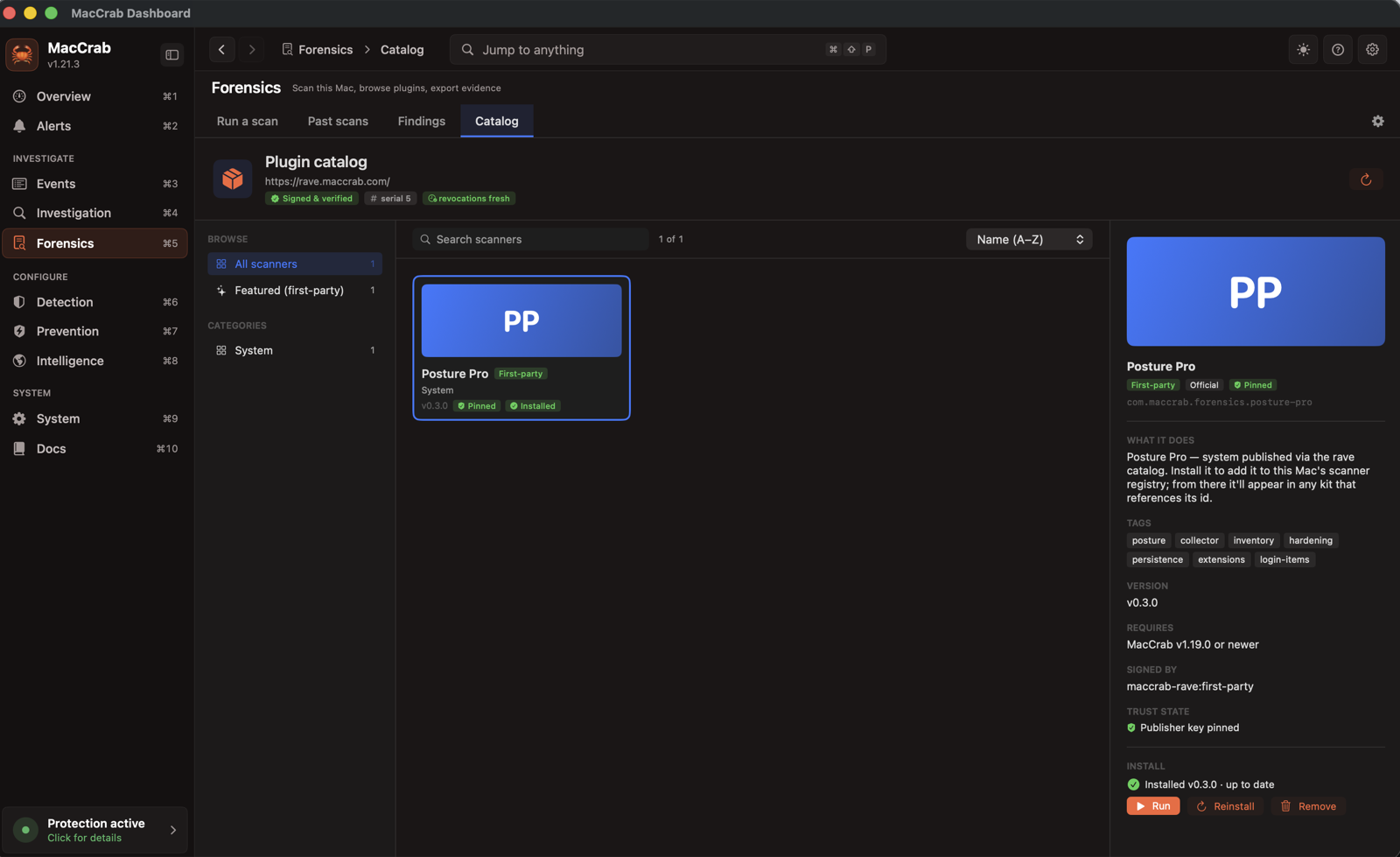
The storefront behind it is deliberately plain. The first version had search, filters and an "N of N shown" counter, the usual marketplace furniture, and a review pass by a small fleet of Claude agents called it absurd, which it was. Each plugin page now leads with the questions I'd ask before installing forensic code: what it reads, how it runs, who signed it, which key is pinned, and how to verify the artifact yourself. The store's intended standard came out of the same cleanup: a catalogue entry should be installable, verifiable and runnable. Availability does not mean that every app, OS and architecture combination is qualified; the status page records the outstanding checks.
Community publishing
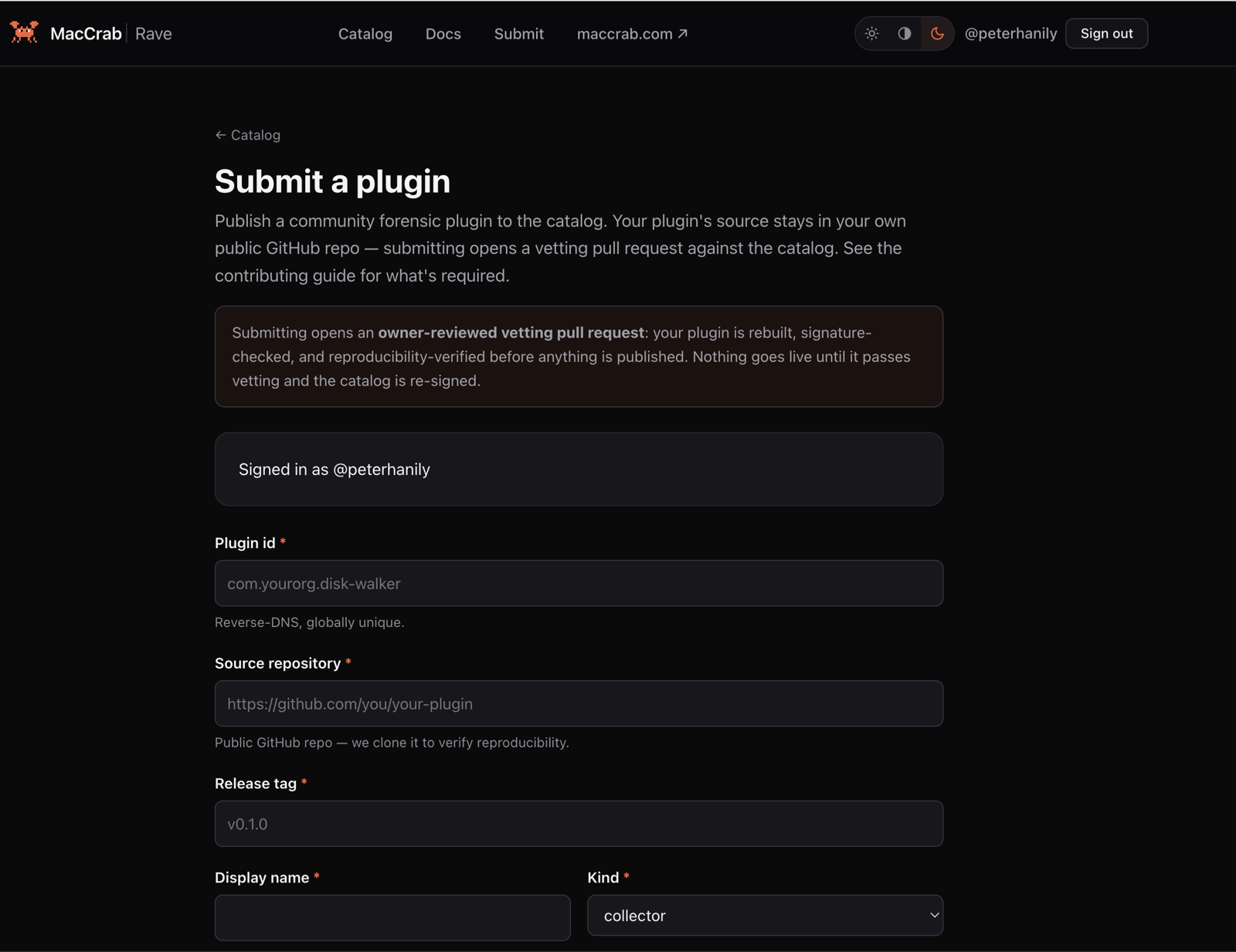
Rave is inviting early community authors by email through the submission page. Automated intake is paused while the complete publishing journey is qualified; there are no published community plugins in the current catalogue. The current status takes precedence over the launch-era form pictured below.
The proposed flow keeps source in the author's public repository and uses an owner-reviewed vetting pull request, a matching rebuild, declaration checks and a re-signed catalogue. The publishing guide describes that process; it is not evidence that the complete journey is qualified for community submissions today.
To make sure the path works from the outside, I built a community plugin
the way an outsider would have to:
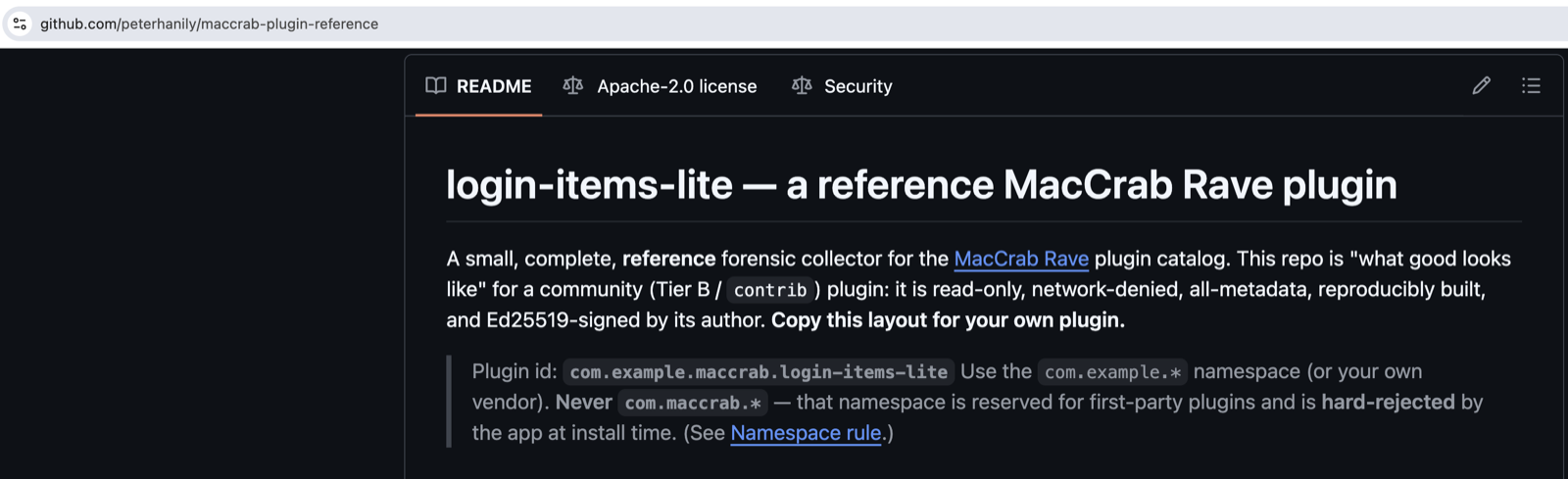
login-items-lite,
a small Swift collector that lists launchd daemons and agents, the
classic login items, with a code-signing verdict on each. It's read-only,
network-denied, reproducibly built, signed with its own author key, and
it lives in com.example.* because com.maccrab.*
is reserved. It's public on GitHub as the reference for what a good
submission looks like, and I hope someone forks it into something better
than mine. Before opening submissions I walked a real one end to end,
through the same gates a stranger's code will face. That walk found bugs;
more on those below.
The half of the door that stays guarded is execution. MacCrab runs a community plugin only after you choose to trust its publisher key or install it from the curated catalogue, and only inside a deny-default sandbox that confines it to what its manifest declared. If that sandbox can't start, the plugin doesn't run. Opening the lane wider waits until that containment has been tested properly by people who aren't me. That's a trust decision, not a missing feature.
The first week, briefly
Launch week found real bugs, including in the install path and the public verification recipe. One of them is worth touching on, as I'd deem it a successful failure.
For most of its short life, Posture Pro produced nothing inside the app. Not an error: nothing. I rewrote the plugin twice chasing it, once to add the evidence inventory, once to move collection in-process, and the row count stayed at zero. The actual cause was on the other side of the trust boundary. The app grants the first-party execution lane by checking the publisher key against a pinned fingerprint, and that pin was still an unset placeholder from when the gate first shipped. The gate failed closed, exactly as designed, and quietly refused every plugin, including one signed with my own key. Setting the pin in v1.21.2 took the same scan from zero rows to the 409 in the screenshot above. The second fix mattered as much as the first: the gate now says why it refused.
That's the lesson I'd pull out of the whole week. Every trust boundary needs two behaviours: it needs to fail closed, and it needs to say why. A gate that fails closed and silent doesn't look like security. It looks like your code doesn't work.
Where things stand
Rave is live at rave.maccrab.com. The catalogue lists 19 first-party plugins as of October 2026. The 18 newer collectors require MacCrab 1.22.3 or later; their installed-app workflows, Intel execution and fresh-machine behavior remain unverified in the published qualification record. Posture Pro 0.3.1 is Apple Silicon only. Its earlier 0.1.0–0.3.0 builds are revoked, including the historical version shown above. Check current compatibility and limitations before installing.
The boring facts, because every launch thread asks within the hour: MacCrab is Apache 2.0 and needs macOS 13 Ventura or newer; Rave is free; Posture Pro is free as well, first-party, with source not yet public; the reference plugin lives at github.com/peterhanily/maccrab-plugin-reference and the verification docs are at rave.maccrab.com/docs/verification/. As always, Claude and Codex were the tools used most throughout the build.
If you run MacCrab, review the current plugin listing and run the verification recipe against the selected current artifact before installation. If a check fails, stop and report the exact version and error.
Browse the current catalogue for the plugins added since launch.